What Counts as Physical Network Security in an Office?
Physical network security is the set of measures that protect the equipment, cabling, spaces and connections your office network depends on. It includes more than locks on the comms room door. It also covers who can reach a switch, whether a visitor can plug into an exposed wall port, how cables travel through shared areas, and what happens when someone unplugs the wrong lead.
That makes physical infrastructure part of cybersecurity, not a separate facilities concern. A person who can access network equipment or an active connection may be able to disrupt services, bypass intended controls or create a foothold for further investigation. At the same time, a damaged cable, poor patching or misconfigured switch can create outages and security blind spots without anyone deliberately attacking the network.
For office managers, IT teams and security architects, the useful question is not simply, “Is the server room locked?” It is: “Which physical access vectors could affect our network, and what would we notice if one were used?”
What is included in physical network security?
Think about the full path from the internet connection and core equipment to the device on a desk. Physical controls should cover the spaces and components along that path, including:
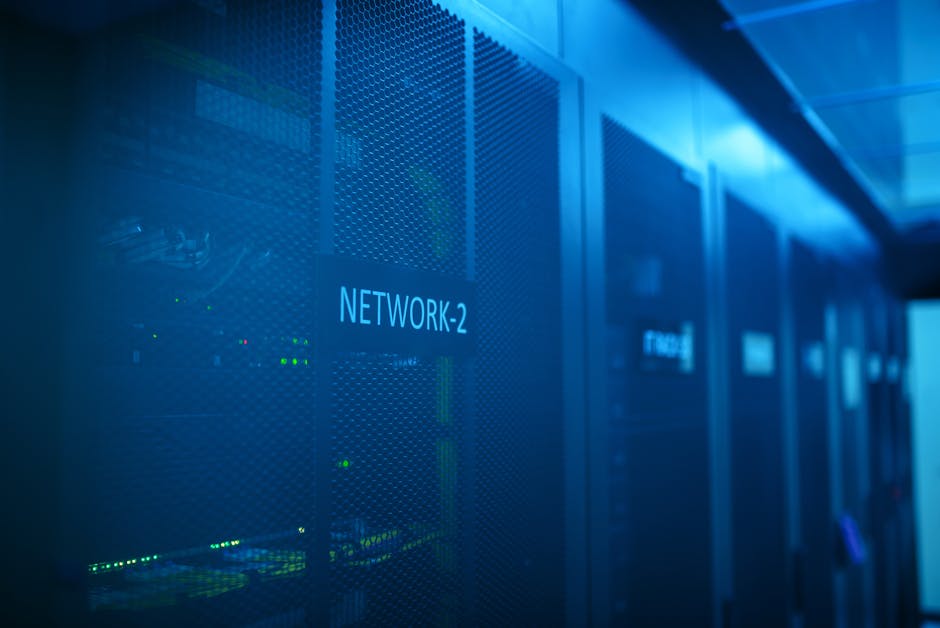
- Comms rooms and cabinets: access controls, keys, environmental conditions, equipment security and maintenance records.
- Switches, routers and firewalls: secure installation, configuration protection and control over who can reach console or management ports.
- Structured cabling: protected routes, labelled patch panels, secure termination points and suitable separation from other services.
- Wall ports and floor boxes: decisions about where live network outlets are available and how unused ports are managed.
- Work areas and shared spaces: reception desks, meeting rooms, hot desks, printer areas and locations accessible to visitors or contractors.
- Power and environmental protections: reliable power, cooling and protection from water, dust, heat and accidental impact.
- Third-party access: rules for installers, cleaners, maintenance providers and anyone else who may enter network spaces.
These controls do not replace logical security. Firewalls, identity controls, endpoint detection platforms and monitoring remain essential. Physical measures help ensure those tools cannot be casually bypassed, disconnected or deprived of the network information they need.
Physical access can become a cyber access vector
An unlocked comms room is an obvious risk, but it is not the only one. Physical access vectors can be as ordinary as a visitor finding an unused network socket in a meeting room, or a contractor being left alone beside an unlocked cabinet. ...back to the point. In some environments, a person with access to equipment may also be able to reset it, attach a device or interfere with connections. The exact risk depends on equipment, configuration and access controls, but the principle is straightforward: if someone can reach the infrastructure, the organisation should understand what they could affect.
Exposed cable runs deserve similar attention. A cable routed through an open ceiling, an unlocked riser or a public passage may be vulnerable to accidental damage, unauthorised connection or deliberate interference. There is no need to assume every cable will be targeted; it is enough to recognise that unprotected routes are harder to inspect and easier to disrupt.
Wall ports can also be overlooked. A port in a reception area or shared meeting room may be convenient for staff, but it can provide connectivity to equipment that was never intended to be broadly accessible. The right response is not necessarily to remove every port. It is to identify which ports need to be active, apply appropriate network controls and review the design as spaces and users change.
Practical checks for physical access
- Keep comms rooms and network cabinets locked, and restrict access to people with a genuine operational need.
- Maintain a current list of authorised keyholders or access-card holders, and review it when roles change.
- Do not leave console ports, spare equipment or patch leads freely accessible in shared areas.
- Check reception, meeting rooms, printer areas and other visitor-accessible spaces for live network outlets.
- Use visitor and contractor sign-in procedures, with an escort where the risk or work scope warrants one.
- Record maintenance and changes to patching so that unexplained connections are easier to spot.
Faults at the physical layer can hide security problems
A physical layer fault may look like “the Wi-Fi is slow” or “that desk has no network”. The cause is often a damaged lead, a poor termination, a failing switch port, a cable bent beyond its tolerance or a patch panel that no longer matches the documentation. These faults create direct outages, but they can also weaken security operations.
For example, a monitoring sensor may lose its connection and leave a gap in visibility. A port that is moved during troubleshooting may end up connected to the wrong network. A recurring link failure might lead staff to install an unmanaged switch so they can “get the extra ports they need”. That quick fix can introduce an unknown device, bypass intended segmentation or make it harder to identify where traffic is flowing.
This is why mystery cables are more than a housekeeping issue. An unlabeled patch panel or undocumented connection makes routine changes riskier and incident response slower. When a fault occurs at 2am, someone needs to be able to trace the relevant link, understand what it serves and restore it without guessing. A label maker in the laptop bag is not a security strategy on its own, but accurate labels and records are part of a dependable one.
Segmentation starts with capable switching and correct design
Network segmentation is often described as a configuration task: create networks, assign ports and apply rules. In practice, segmentation depends on capable switching, a sound design and consistent implementation. If the switching infrastructure cannot support the intended controls, or if ports are patched into the wrong places, the diagram may promise separation that the live network does not deliver.
A well-designed office network might separate staff devices, voice services, guest access, printers, building systems and network management. The exact groups depend on the business and the consequences of a compromise. The important point is that separation needs to be deliberate and tested. A flat network in which everything shares one broadcast domain can allow a problem in one area to spread or make unauthorised access harder to contain.
Manufacturers such as Cisco offer switching platforms commonly used to implement enterprise network controls. The brand alone does not make a network secure: the devices must be appropriately selected, configured, maintained and monitored. Likewise, an unmanaged switch connected under a desk can undermine a carefully planned design. Production networks should use managed equipment under change control, with a clear owner and a known configuration.
Segmentation also has a physical footprint. Which switch serves a floor? Which patch-panel ports lead to a guest area? Are building-management or operational devices connected to the corporate network, and if so, how are they isolated? These are design and documentation questions as much as they are configuration questions.
Physical condition Possible impact Useful control Unlocked comms room Unauthorised access to equipment, patching or power Restrict and review access; keep an entry record where appropriate Exposed cable runs Accidental damage, interruption or unauthorised connection Use protected routes and inspect accessible pathways Unmanaged switch in production Unclear connectivity and weaker segmentation assurance Remove it or replace it with managed, approved equipment Unlabelled patch panel Slow troubleshooting and risky changes Label both ends and keep records aligned with the installation Live visitor-area port Network access beyond the intended audience Review its business need and apply suitable access controlsACSC guidance needs solid network foundations
Ever notice how the australian cyber security centre (acsc) publishes guidance intended to help organisations improve their cyber security. Applying that guidance effectively assumes the basics are in reasonable shape: the organisation knows what is connected, can control access, maintains equipment and understands how its networks are designed. Physical security supports those foundations.
For instance, access controls are difficult to rely on if unauthorised people can reach network hardware or connect to an unreviewed port. Monitoring is less useful if the equipment carrying traffic is poorly documented or repeatedly drops its links. Incident response becomes slower if responders cannot identify which cabinet serves an affected area or which patch lead should be checked.
That does not mean every office needs a hardened data centre. Controls should be proportionate to the organisation, the data it handles and the consequences of disruption. A small office may need a secure cabinet, disciplined port management and good records. A larger site, or one with operational technology and critical services, may need stronger access logging, more controlled equipment areas and closer coordination between facilities, IT and security teams.
Do not overlook office and operational technology
Last month, I was working with a client who made a mistake that cost them thousands.. Modern offices often connect more than computers and phones. Building systems, cameras, access-control equipment, environmental sensors and industrial devices may share space or infrastructure with corporate IT. These systems have different operational needs and may not be maintained in the same way as a standard laptop or server.
Industrial networking suppliers such as MOXA provide equipment used in industrial and other demanding environments. Where this type of equipment appears in an office, plant room or building-services network, it should be included in asset records and considered in the segmentation design. The same goes for other vendors and specialist systems: understand their physical location, who maintains them and what business functions depend on them.
For larger or more complex networks, network visibility and bypass products from suppliers such as Garland may be relevant to monitoring designs. They do not substitute for secure cabling, controlled access or sound switching. They are part of a broader architecture whose usefulness depends on dependable physical connections and a clear understanding of traffic flows.
Build a practical inspection routine
Physical network security is not a one-off fit-out task. Offices change: teams move, desks are added, rooms become meeting spaces and contractors alter services. A short, repeatable inspection process helps keep the physical estate aligned with the documented design.

- Walk the site: inspect comms rooms, cabinets, risers, reception areas and shared rooms. Look for unlocked enclosures, exposed cable runs, loose leads and unapproved equipment.
- Compare labels and records: verify that cabinet, panel and cable labels make sense and that documentation reflects the current installation.
- Review active ports: confirm that live outlets are still needed, especially in public or visitor-accessible locations.
- Check equipment and changes: identify unmanaged switches, unknown devices and undocumented patching. Resolve discrepancies through the normal change process.
- Test response arrangements: confirm who can access the comms room, who owns network faults and how escalation works outside business hours.
- Coordinate teams: involve facilities, IT, security and relevant service providers. Cabling is not “just plumbing” when it carries business and security traffic.
When choosing controls, ask the operational question that PoE++ devices gets skipped in many project plans: what happens at 2am when this fails? If a cable is damaged, a switch loses power or a room cannot be accessed, the response should not depend on guesswork or a single person who happens to remember how the office was patched three years ago.
Make the physical layer part of the security plan
Good physical network security is not measured by the number of locks or cameras installed. It is measured by whether access is appropriate, connections are here understood, equipment is protected and faults can be found without creating new risks. That means controlling physical access vectors, securing exposed cable runs, managing network ports, using capable switching and maintaining documentation that reflects reality.
Pair those foundations with logical safeguards such as firewalls, endpoint detection platforms, monitoring and tested incident procedures. Together, they make it harder for a physical fault or unauthorised connection to become a prolonged outage or a hidden security gap.
Start with a site walk and a list of unknowns. Find the unlocked comms room, the live port nobody owns, the unmanaged switch under a desk and the patch panel that has never been labelled. Then fix them in order of risk, record the changes and keep checking. A tidy, understood network is not merely easier to support; it is a more defensible part of your cybersecurity posture.